Build a Budget That Actually Runs on Autopilot (Most Months)
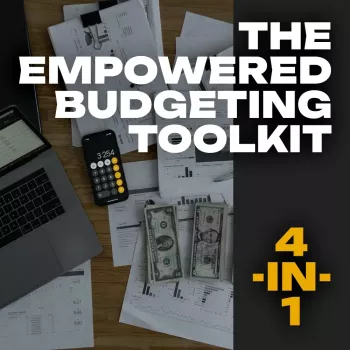
A budget works best when it’s more than numbers on a page. The real win is having a repeatable system: a clear plan before the month begins, quick check-ins while life happens, and a reset that keeps progress moving forward. The Empowered Budgeting Toolkit is built around that idea—combining practical planning tools, an Excel-based structure for clarity, a monthly tracking flow, wealth-building prompts, and guided affirmations that help reinforce consistent money decisions.
If your budget tends to fall apart mid-month, feels too rigid, or never seems to translate into real savings, a bundled routine can make the difference between “trying again next month” and building steady financial momentum.
What the 4-in-1 bundle is designed to help with
- Turn scattered spending into a clear monthly plan with defined categories and targets
- Build a consistent routine for tracking expenses, reviewing progress, and adjusting mid-month
- Move beyond “cutting costs” by adding goal-based savings and longer-term wealth habits
- Support follow-through with guided affirmations that reinforce intentional money behavior
For extra guidance on foundational budgeting principles, the Consumer Financial Protection Bureau budgeting resources are a helpful reference point, especially when you’re setting up categories and learning to plan for irregular expenses.
What’s inside the Empowered Budgeting Toolkit bundle
- Budget planner framework for mapping income, fixed costs, variable spending, and priorities
- Excel guide to help structure a spreadsheet-based approach (useful for automation and calculations)
- Monthly expense and savings tracking flow to capture daily spending and prevent end-of-month surprises
- Wealth strategy prompts to encourage goal setting, debt payoff structure, and investment-minded thinking
- Guided affirmations for wealth to support mindset and consistency alongside practical tracking
How each component supports the month
| Bundle piece |
Primary use |
Best time to use it |
Outcome to watch |
| Budget planner |
Plan categories and caps |
Before the month begins |
Spending limits that match priorities |
| Excel guide |
Calculate totals and automate tracking |
Setup day + weekly review |
Fast visibility into progress |
| Monthly expense tracking |
Record spending and identify leaks |
Daily or every 2–3 days |
Fewer missed transactions |
| Savings structure |
Make goals measurable |
Start of month + payday |
Savings rate and streaks |
| Wealth strategies + affirmations |
Strengthen decision habits |
Weekly reflection or mornings |
Consistency during temptation weeks |
A simple setup that takes one focused hour
- Step 1: List income sources and pay dates to understand cash-flow timing
- Step 2: Lock in essentials first (housing, utilities, insurance, minimum debt payments)
- Step 3: Set realistic caps for flexible categories (groceries, dining, transport, subscriptions)
- Step 4: Assign a savings goal that is specific (amount + purpose) and scheduled (payday or weekly)
- Step 5: Choose 2–3 “non-negotiable” checks: quick daily log, weekly review, and month-end reset
If you’re unsure whether your paycheck withholding is lining up with your real take-home pay, the IRS Withholding Estimator can help you avoid budgeting with an income number that’s slightly off.
How to use the Excel-based approach without overcomplicating it
- Keep category lists short at first; add detail only when it improves decisions
- Use a weekly review rhythm: reconcile transactions, compare to caps, adjust the remaining week
- Separate “expected” vs “actual” so overspending is visible early, not after the fact
- Create a small buffer line item to reduce the chance of derailing the plan
- Track 1–2 key metrics: savings rate, debt payoff progress, or discretionary spending trend
The goal isn’t perfect spreadsheets—it’s faster feedback. When you can see the month clearly, you can make small corrections that prevent big end-of-month stress.
Monthly expense tracking that stays realistic
- Use fewer categories if tracking feels heavy; accuracy beats complexity
- Tag irregular expenses (gifts, car maintenance, medical copays) so they stop feeling like surprises
- Identify “quiet leaks” such as subscriptions, convenience fees, and small impulse purchases
- Build a mid-month checkpoint to correct course while there’s still time
- End the month by capturing lessons learned and rolling forward only what matters
For anyone building money skills from the ground up (or rebuilding after a chaotic season), the FDIC Money Smart program is a solid companion resource for strengthening day-to-day financial habits.
Savings and wealth strategies that fit everyday life
Guided affirmations for wealth: using mindset tools with practical actions
Who this toolkit fits best
Common mistakes that derail budgets—and quick fixes
Product options
FAQ
How long does it take to set up a monthly budget with this system?
Most people can set it up in about 30–60 minutes: list income and pay dates, lock in essentials, set category caps, schedule a specific savings goal, and choose a weekly review day to keep it current.
Is an Excel-based budget hard to maintain?
It’s manageable when you keep it simple—use fewer categories, separate expected vs. actual, and do a short weekly reconciliation. A consistent 10-minute routine typically makes it feel easier each month.
How do guided affirmations help with budgeting?
They support follow-through by reinforcing intentional decisions during tempting moments and pairing mindset with actions like a 2-minute daily log or a quick weekly review. Over time, that consistency helps reduce impulse spending and improves savings habits.
Recommended for you







Leave a comment