Smooth aerial footage comes from three things working together: stable stabilization, reliable positioning, and enough battery to capture the moment without rushing. This 4K GPS drone pairs GPS flight features with a 3-axis gimbal and electronic image stabilization (EIS) to help reduce shake, while a long flight time helps extend shooting sessions for travel, real estate, outdoor adventures, and everyday cinematic clips.
What Makes Footage Look Smooth From the Air
Even a light breeze can show up as wobble or tiny jitters in video. The most natural-looking drone footage usually comes from a mix of mechanical stabilization, smart digital help, and steady piloting.
- 3-axis gimbal stabilization: A 3-axis gimbal stabilizes the camera mechanically across pan, tilt, and roll. Because it counters aircraft movement in real time, it’s especially effective during hovering, slow tracking shots, and gentle turns.
- EIS (Electronic Image Stabilization): EIS adds digital stabilization to reduce small jitters, particularly during mild wind gusts or minor direction corrections that can sneak into footage.
- 4K capture for detail: 4K video preserves fine detail for landscapes, rooftops, and architectural lines, and it gives extra resolution headroom for cropping or reframing in editing.
- Better footage through better inputs: Cleaner results also come from steady flight habits—gradual stick inputs, controlled turns, and consistent altitude instead of quick “start/stop” motion.
Stabilization Options and What They Fix
| Stabilization type |
How it works |
Best at reducing |
Trade-offs |
| 3-axis gimbal |
Mechanical motors counter motion on three axes |
Tilts, rolls, fast micro-shakes |
Adds weight/complexity; needs careful transport |
| EIS |
Software stabilizes by analyzing frames |
Small vibrations and minor jitters |
May crop image slightly; less effective for large jolts |
| No stabilization |
Camera is fixed to the frame |
Nothing (footage reflects airframe movement) |
Jittery results; harder to edit into cinematic clips |
GPS Flight Features That Improve Control and Confidence
GPS can make the drone feel calmer and more predictable, especially when filming shots that demand a steady hover or a repeatable path.
- More consistent hovering: GPS positioning helps the drone hold its place more consistently, reducing drift when hovering for photos or steady video clips.
- Return-to-home support: When supported, return-to-home behavior provides a safety path back during signal loss or low battery situations—particularly useful when flying farther out for establishing shots.
- Repeatable moves (when available): Waypoint-style planning can help repeat shots with similar framing, which is helpful for property flyovers and travel sequences.
- Smart GPS habits: Wait for satellite lock before takeoff, avoid launching near tall buildings or dense trees, and confirm the home point before flying far.
For safe, legal operation in the U.S., review the FAA’s recreational guidelines before flying: Federal Aviation Administration (FAA) — Recreational Drone Flying Safety Guidelines.
Long Flight Time: Planning Shots That Match the Battery
Longer flight time supports complete sequences—wide establishing passes, gentle orbits, slow reveals, and a comfortable margin to return and land without cutting the session short.
- Expect real-world variation: Real endurance can be lower than advertised due to wind, temperature, aggressive speed, and frequent climbing.
- Film in a battery-friendly way: Avoid repeated punch-outs (rapid climbs), keep cruising speed moderate, and plan a landing buffer instead of draining the battery to the limit.
- Use a consistent routine: Pre-check propellers, confirm GPS lock, do a short hover check, then run a planned shot list so time isn’t wasted in the air.
Wind is one of the biggest factors that affects stability and battery drain. Checking conditions before heading out can make footage smoother and landings less stressful: National Weather Service — Wind (Basics and Impacts).
Camera Settings and Shot Ideas for Cleaner 4K Results
Stabilization can only do so much if the movement is too abrupt. A few simple filming habits make 4K footage look more “cinematic” and less like a quick spin over a location.
Before Flying: Safety, Rules, and Practical Checks
- Follow local rules: Respect altitude limits, no-fly zones, and registration requirements where applicable. If traveling internationally, review local frameworks such as the EU’s overview here: EASA — Open Category (Drone Rules Overview).
- Check weather first: Gusts can affect stability and return performance more than most beginners expect.
- Pre-flight checklist: Propeller condition, battery level, firmware/app readiness (if used), GPS lock, home point confirmation, and obstacle awareness.
- Practice responsibly: Respect privacy, avoid flying over crowds, and choose open areas when learning new maneuvers.
Product Snapshot and Who It Fits Best
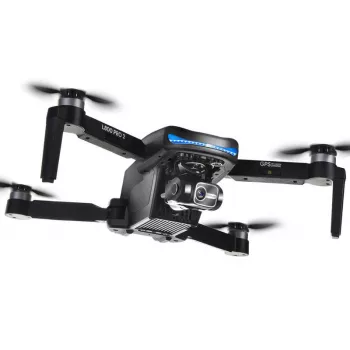
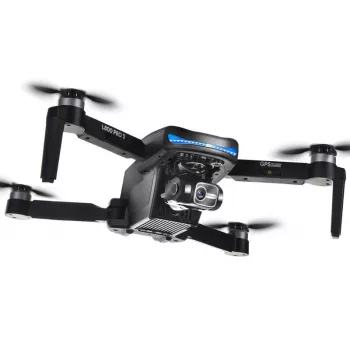
4K GPS Drone with 3-Axis Gimbal, EIS Technology, and Long Flight Time is available now.
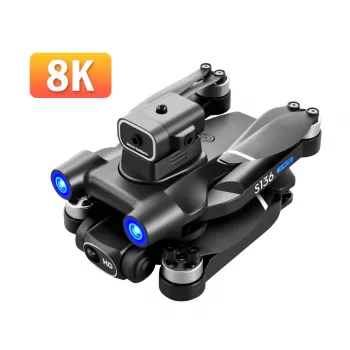
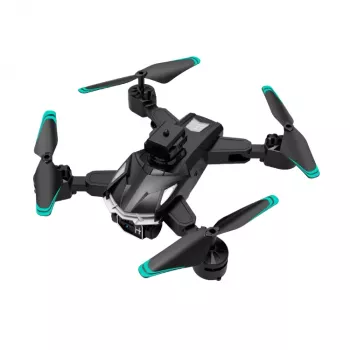
Other In-Stock Picks
FAQ
What is the difference between a 3-axis gimbal and EIS?
A 3-axis gimbal uses motors to physically counter camera movement on pan/tilt/roll, which is especially helpful for larger bumps and changes in drone attitude. EIS is digital stabilization that smooths smaller jitters by analyzing the video frames, and using both can create steadier-looking footage across more situations.
How far can a GPS drone fly from the controller?
Range varies with regulations, interference, antenna orientation, and whether you maintain clear line-of-sight. Always stay within legal limits and practical visibility, since stable control and safe recovery matter more than maximum distance.
How can longer flight time be preserved in real-world conditions?
Fly smoothly at moderate speed, avoid rapid climbs, and plan a landing buffer instead of pushing the battery to the edge. Wind and cold can reduce endurance, so choosing calmer conditions and keeping maneuvers gentle helps preserve usable flight time.
Recommended for you


Leave a comment