Charging a Bike Tail Light: USB Ports, Times & Tips
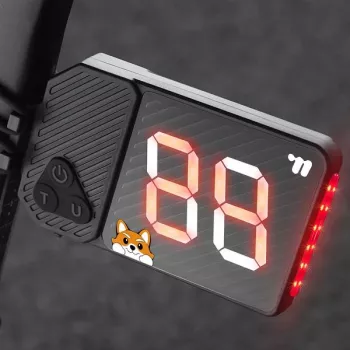
How to charge a bike tail light?
Most bike tail lights charge through a built-in USB port (usually micro-USB or USB-C) or by plugging a removable battery into a separate charger. The exact steps depend on the model, but the process is quick once you know where the charging port is and what the indicator lights mean.
1) Identify the power type
Start by checking whether the tail light has a sealed rechargeable battery or a removable cell. Rechargeable units typically have a rubber flap or sliding cover hiding a USB port. Tail lights that use removable batteries (like 18650 or AA/AAA) may charge only if the battery itself is rechargeable and you own the correct charger.
2) Plug it into a safe USB power source
Open the port cover (if present) and connect the cable firmly to the tail light. Plug the other end into a computer USB port or a reputable 5V USB wall adapter. Avoid fast-charging adapters unless the manufacturer specifically states the light supports them, since some small electronics can overheat or charge inconsistently.
3) Watch the charging indicator
Many tail lights show a red light while charging and switch to green (or turn off) when full. Some blink during charging. If there’s no indicator, leave it connected for the time listed in the manual—commonly 2–6 hours—then test it briefly.
4) Charge fully before your first ride
A full initial charge helps you get accurate runtime and battery level behavior. Once charged, reseal the USB cover tightly to maintain water resistance and keep dust out.
5) Troubleshoot common charging issues
If the light won’t charge, try a different cable and USB power source, clean any debris around the port, and confirm the port cover isn’t blocking the connector. If it still fails, the battery may be at end-of-life or the port may be damaged.
For model-specific notes and extra tips, visit the full guide here: https://farajstore1.com/how-to-charge-a-bike-tail-light/.
FAQ
How long does a bike tail light take to charge?
Most rechargeable bike tail lights take about 2–6 hours, depending on battery size and the USB power source. Higher-output modes and larger battery capacities usually mean longer charge times.
















Leave a comment