-
Shop
- Advanced Technologies
- AI Career Advantage Collection
- AI Skills Mastery 2026 Collection
- Bathroom
- Black Friday
- Business & Wealth
- Car Accessories
- Dating & Social Skills
- Denim
- 7FOR
- AGOLDE
- Antony Morato
- Armani Exchange
- Boss
- Brunello Cucinelli
- Calvin Klein Jeans
- Costume National
- Desigual
- Diesel
- Dolce & Gabbana
- Dsquared²
- Ermanno Scervino
- Fendi
- Gianni Lupo
- Guess Jeans
- Ichi
- Just Cavalli
- Lee
- Levi's
- Liu Jo
- Morgan De Toi
- Mother Denim
- Only
- Pepe Jeans
- Pinko
- Replay
- Valentino
- Vero Moda
- Digital Resources
- AI Skills
- Beauty
- Car Buying & Ownership
- Cozy Feast Collection
- Dating & Social Confidence
- Electronics & Technology
- Financial Education
- Fitness & Exercise Programs
- Halloween Digital Collection
- Home Styling & Organization
- Kitchen & Cooking
- Online Business
- Parenting & Child Development
- Parenting & Family Life
- Personal Style & Fashion
- Pet Lifestyle & Wellness
- Smart Amazon Shopping
- Smart Black Friday Shopping
- Smart Life with AI
- Thanksgiving Digital Collection
- TikTok Growth & Monetization Mastery
- Travel & Adventure
- Travel Planning
- Wellness
- Wellness & Self-Care
- Yoga & Fitness
- Education & Learning
- Family & Home
- Family & Parenting
- Fashion
- Fashion & Beauty
- Fashion Accessories
- Furniture
- Gadgets
- Health & Beauty
- Health & Wellness
- Home & Garden
- Home Decor
- Home Electronics
- Home Supplies
- Kids & Babies
- Kitchen
- Lighting
- Online Business for Beginners
- Patio, Lawn & Garden
- Personal Growth
- Personal Growth & Wellness
- Pet Care
- Pet Supplies
- Pets
- Sport & Outdoors
- Super Deals
- Thanksgiving
- Travel
- Wealth
- Wealth Building
- Budgeting & Saving
- Cryptocurrency Investing
- Debt Management
- Entrepreneurship & Business Growth
- Family Finance & Budgeting
- Financial Independence
- Financial Mindset & Psychology
- Financial Planning
- Frugal Living & Expense Hacks
- Goal Setting
- High-Income Skills
- Investing Basics
- Leadership
- Networking & Mentorship
- Passive Income Strategies
- Real Estate Investing
- Side Hustles
- Stock Market Investing
Portable Android Projector: Features and Setup Guide
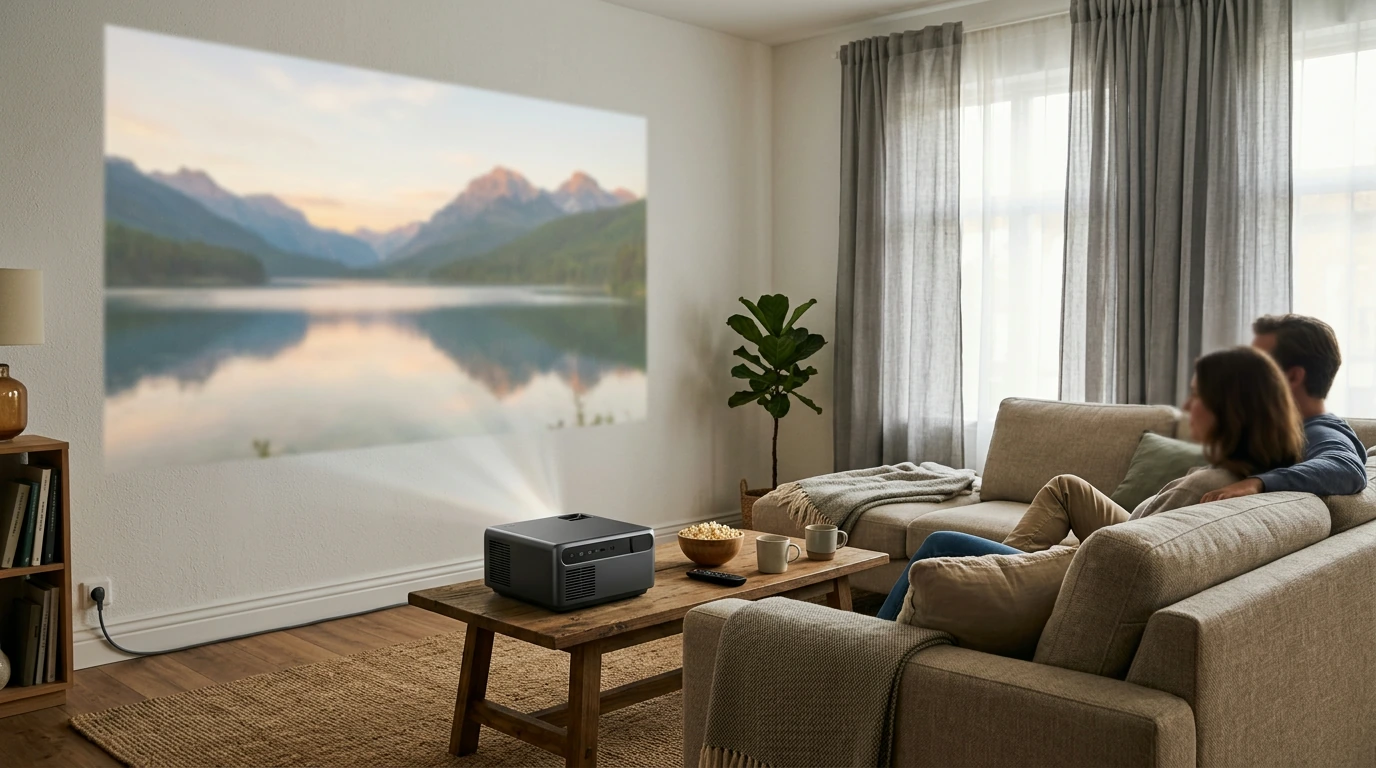
The Portable 1080P Android 11 Projector offers a compact way to bring a screen into different spaces. Its listed features include auto focus, WiFi 6, and Bluetooth 5.4. If you want a setup that can move from one room to another, we recommend starting with the space you have and the way you plan to watch.
A portable screen for different spaces
A projector can make a movie night feel different without requiring you to dedicate an entire room to a television. You might set it up in a living room for a group or move it to a bedroom for casual viewing. Portability gives you the option to choose the space that suits the occasion.
Before setting up, look for a clear wall or a screen with enough open space around it. Consider where viewers will sit and whether you have a stable place for the projector facing the viewing surface. You will also want to account for access to power and any cables your setup may require.
A plain, unobstructed surface makes it easier to concentrate on what you are watching. If you are using a wall, look for an area without pictures, shelving, or other objects in the projected image.
Features at a glance
Our projector listing brings together an operating system, auto focus, and wireless features in one portable viewing option. The product title includes “1080P” as a resolution designation; it does not specify the projector’s native resolution.
| Feature | What the listing states |
|---|---|
| Resolution designation | 1080P |
| Operating system | Android 11 |
| Focus | Auto focus |
| Wi-Fi | WiFi 6 |
| Bluetooth | BT 5.4 |
| Price | $71.01 USD |
These features are useful starting points when comparing projectors, but your choice also depends on the room and devices you plan to use. Consider which connections matter to you and how often you expect to move the projector.
Getting ready to watch
Start by placing the projector on a stable surface facing a clear wall or screen. Leave the area around it unobstructed, and arrange any power or connection cables so they do not cross a walkway. Position seating where everyone has a comfortable view of the projected area.
Auto focus can simplify image adjustment when you set up. After moving the projector, check the picture again and make any adjustments needed for your viewing position. Give yourself a little time to settle on a placement before everyone sits down.
Ambient light is another practical consideration. Closing curtains or turning off unnecessary lights can make viewing more comfortable. If you plan to watch during the day, consider a room where you can reduce light without disrupting other activities.
For a shared movie night, it also helps to plan the space around the audience. Keep drinks away from electronics, leave room to move around, and choose seating that does not block the projection path.
Connecting for entertainment
The product title lists Android 11 and WiFi 6. If you expect to use a particular app or service, confirm its compatibility before ordering rather than assuming it is supported. The same applies to any accessories or connection method that are important to your setup.
Bluetooth 5.4 is also listed. If you intend to connect a particular device, such as a speaker, check that it is compatible with the projector and the connection you want to use. For general background, the Wi-Fi Alliance explains Wi-Fi 6, and the Bluetooth technology overview describes Bluetooth technology.
Review the product page for available connection and setup details before deciding how the projector will fit into your entertainment space. Knowing what you need in advance can make the first setup more straightforward.
Is this projector right for your space?
Start with your priorities. Portability may matter most if you want to move your viewing setup between rooms. Auto focus may appeal if you want help adjusting the image, while the listed wireless features may be relevant if you plan to connect other devices.
Balance those conveniences against the practical needs of your room: a suitable viewing surface, a stable projector position, access to power, and a way to manage ambient light. If a particular app, device, or connection is essential, confirm those details before purchasing.
Our team recommends checking the current price and availability before you order. Explore the Portable 1080P Android 11 Projector for its listed features and product details.
Looking for something else while you shop? You can also browse our 18K Gold Plated Daisy Drop Earrings.
Before choosing, compare the product details with your daily routine, available space, care needs, and preferred setup. The strongest option is usually the one that fits the intended use clearly and remains simple to clean, store, and check before repeat use.
It is also worth checking measurements, material notes, included parts, and compatibility details so the item matches the way it will be used after delivery.
FAQ
Does this projector have auto focus?
Yes. Auto focus is listed in the product title.
Does the projector support Wi-Fi and Bluetooth?
The listing identifies WiFi 6 and Bluetooth 5.4. Check compatibility with the devices you intend to use before purchasing.
What operating system does the projector use?
The product title lists Android 11 as its operating system.
Recommended for you
Was this article helpful?
Yes
No


Leave a comment