Amplified 300-Mile TV Antenna: Setup & Best Placement
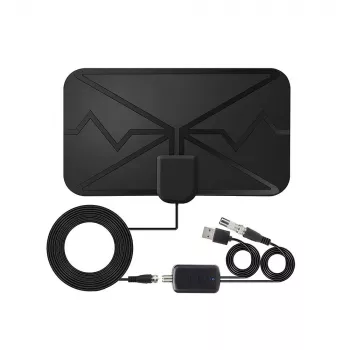
300-Mile Digital TV Antenna with Amplifier for HD & 4K Reception: Setup, Placement, and What to Expect
A powered indoor TV antenna can improve over-the-air channel stability and picture quality when local signals are weak, blocked by building materials, or degraded by long cable runs. If you’re trying to pull in clearer local news, sports, and network programming without a monthly bill, an amplified antenna is often the simplest upgrade—especially when reception is “almost there” but not quite reliable. Below is a practical guide to how a long-range amplified digital antenna works, where to place it for best results, how to connect it to modern TVs, and how to troubleshoot common reception issues when aiming for clean HD and (where available) 4K broadcasts.
What This Amplified Digital Antenna Is Designed To Do
- Receives free over-the-air broadcast channels (local networks and subchannels) without a cable subscription.
- Uses an amplifier to help overcome signal loss from distance, walls, or longer coax runs.
- Supports modern broadcast formats carried over the air; actual resolution depends on the broadcaster and your TV’s tuner.
- Best suited for homes or apartments where indoor reception is possible but inconsistent without added gain.
It’s important to set realistic expectations: amplification can boost what your antenna already receives, but it can’t “create” a usable signal if your location is fully blocked by terrain, heavy construction materials, or severe interference.
Key Features at a Glance
- Amplified reception: built-in signal boost can help with weak or marginal signals.
- Indoor-friendly form factor: typically placed on a wall, window, or near the TV for easier routing.
- Works with most TVs: compatible with ATSC over-the-air tuners (common on modern HDTVs).
- Simple channel scanning: uses the TV’s antenna/air input and channel scan menu.
Quick Reference: Benefits, Requirements, and Limitations
| Item | What it means | Practical tip |
|---|---|---|
| Amplifier | Boosts signal level after the antenna | If nearby stations overload and cause pixelation, try reducing amplification (if adjustable) or repositioning away from the strongest station direction |
| Placement sensitivity | Indoor antennas depend heavily on location | Start near a window and as high as possible; even moving 1–2 feet can change results |
| Coax connection | Connects to the TV’s ANT/CABLE input | Hand-tighten connectors and avoid sharp bends in the cable |
| 4K over-the-air | Some markets offer 4K via ATSC 3.0; many still broadcast HD via ATSC 1.0 | Confirm what your local stations transmit and whether your TV has an ATSC 3.0 tuner (or use a compatible receiver) |
| Range claims | Maximum range depends on terrain, interference, and building materials | Use real-world tools (coverage maps) and test placement before final mounting |
How to Set It Up (Fast Checklist)
- Connect the antenna’s coax cable to the TV’s ANT/CABLE input.
- If the amplifier requires power, plug the power injector/USB power into a reliable outlet or TV USB port (preferred: wall outlet for steady power).
- Switch TV input to “TV”/“Antenna”/“Air” (not “Cable”) in settings.
- Run a channel scan and let it complete fully before evaluating results.
- Rescan after moving the antenna to a new location.
If your TV has both “Antenna” and “Cable” scan modes, choosing “Cable” can cause missing channels because it uses different tuning assumptions. A quick settings check often fixes the “no channels found” problem.
Placement Tips That Usually Make the Biggest Difference
For tower direction and expected signal strength, tools like AntennaWeb help you visualize where stations are located relative to your home. When you’re testing placement, change one variable at a time (height, window vs. wall, direction) and rescan after each move to get clean comparisons.
Understanding HD and 4K Reception at Home
Many households get the best “real-life” results by optimizing for consistency: a few rock-solid local channels will look better than dozens of channels that pop in and out. For a clear overview of antenna basics and common issues, the FCC Consumer Guide on antennas and digital TV is a reliable reference. For NextGen TV context, ATSC’s overview of ATSC 3.0 explains why some markets may offer new features (and why equipment compatibility can vary).
Troubleshooting Common Problems
Who This Antenna Fits Best
Product Options Available
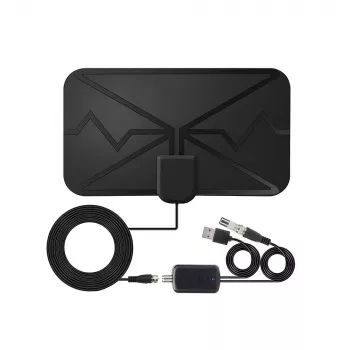
- 300 Miles Digital TV Antenna with Amplifier for HD & 4K Reception (powered indoor antenna option aimed at improving over-the-air stability when placement and signal conditions are favorable).
- Luxury 12-Inch Stainless Steel Decorative Tray for Home, Kitchen & Countertop (a home accent option if you’re refreshing an entertainment console or countertop area while reorganizing your TV setup and cable routing).
FAQ
Will an amplified indoor antenna work if towers are far away?
It depends on terrain, obstructions, building materials, and interference in your area. Amplification can help overcome indoor and cable-related losses, but it can’t pull in channels that don’t reach your location with usable strength; checking coverage maps and testing several placements is the most reliable approach.
Do 4K channels come through a regular TV antenna?
A TV antenna receives whatever your local stations broadcast over the air. If 4K is offered in your market, it’s often tied to ATSC 3.0, which may require a TV with an ATSC 3.0 tuner or an external compatible receiver.
Why do channels pixelate even when the signal seems strong?
Pixelation can come from multipath reflections, tuner overload from very strong nearby stations, interference from electronics, or losses from poor connectors and splitters. Repositioning the antenna, tightening/replacing coax connections, and reducing amplification (if possible) often restores stability.















Leave a comment