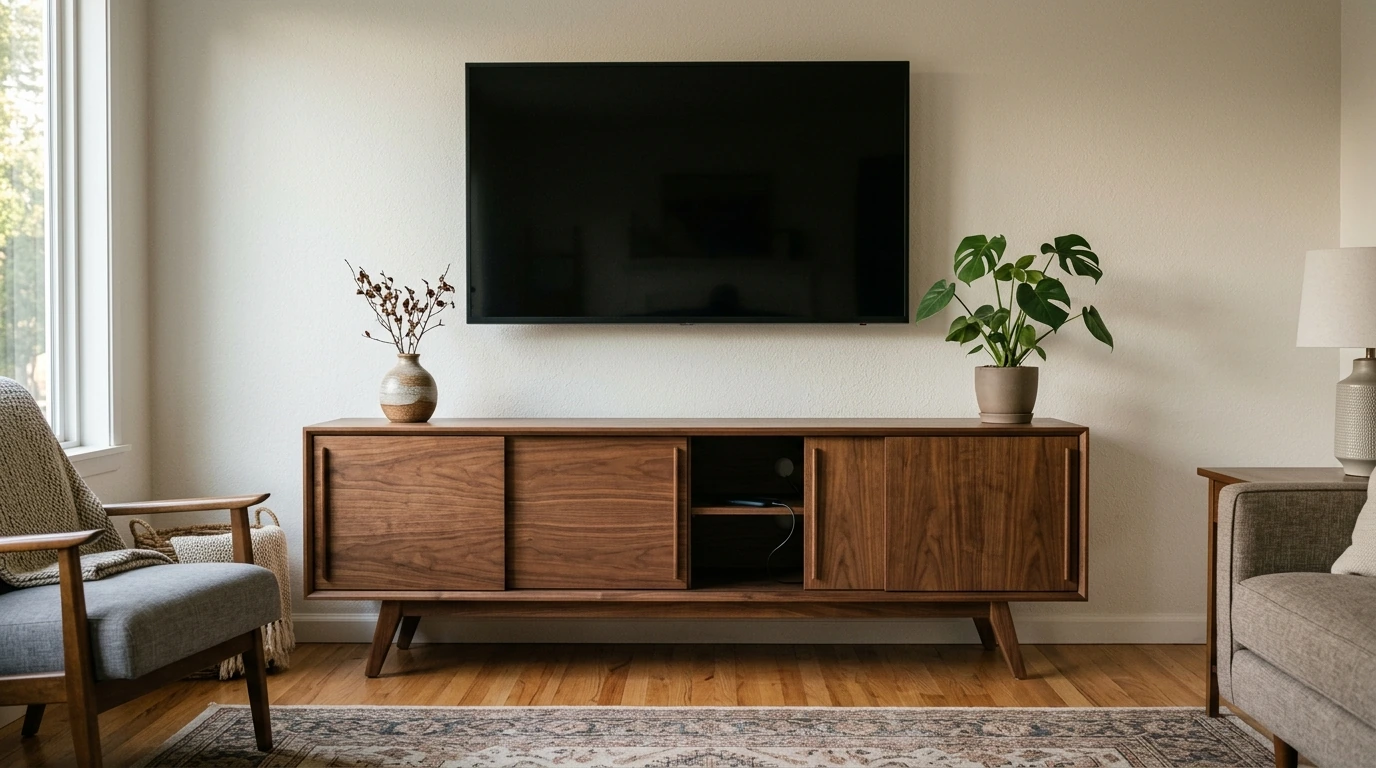
A living room feels calmer when the TV area looks intentional—no cable tangles, no crowded surfaces, and no clutter on display. Our 69″ mid century modern TV stand brings together clean lines, sliding-door storage, and a built-in charging station so your everyday devices stay powered while the room stays visually quiet.
A long, low TV stand has a way of “settling” a space. Instead of pulling your attention to a bulky media zone, this mid century-inspired silhouette helps your TV wall feel like an extension of the room’s overall design.
If your coffee table has become a charging hub, a built-in charging station can immediately change the day-to-day feel of your living room. The goal isn’t just “more power”—it’s a designated home base so devices stop drifting across surfaces.
| Use case | Common problem | How the charging station helps |
|---|---|---|
| Family room nights | Multiple devices need power at once | Centralizes charging so the top stays tidy |
| Small-space living | Outlet access is limited behind furniture | Makes power easier to reach without pulling the stand out |
| Game/streaming setup | Extra accessories clutter the surface | Keeps add-ons powered while storage stays organized |
Open shelving can look great on day one—until the router lights, controller pile, and random cables take over. Sliding doors are a simple fix: you get fast access, but the visual noise stays out of sight.
A good stand helps, but layout choices do the heavy lifting. A few small decisions—where the stand sits, how you group devices, which side gets “daily” items—make the whole setup feel more custom and less cobbled together.
At 69″ wide, this stand gives your setup room to breathe. You’re less likely to stack devices or crowd décor, and the TV wall reads as a single, balanced zone rather than a screen perched on a small base.
| Stand width | Best for | Practical takeaway |
|---|---|---|
| 69 inches | Medium-to-larger living rooms | Gives the TV area a grounded, built-in look |
| 69 inches | Multi-device setups | More surface and storage helps reduce visual clutter |
| 69 inches | Wall-mounted or tabletop TVs | Works as a strong base under the screen |
Any TV stand that helps manage power also benefits from a few common-sense safety steps. Keep loads reasonable, allow electronics to breathe, and route cords so doors and equipment don’t pinch them over time. For broader safety guidance, the NFPA’s home electrical safety resources and the U.S. CPSC tip-over prevention information are helpful references.
A balanced look usually happens when the stand is at least as wide as your TV’s footprint (or the screen width if your TV is wall-mounted). Measure your TV’s width and aim to leave a little breathing room on both sides so the setup feels grounded instead of top-heavy.
A charging station provides convenient access to power, but surge protection depends on the electrical components included. For sensitive electronics, using proper surge protection where appropriate is still a smart move.
Place your most-used devices in the easiest-to-reach section, label cords so swaps are quick, and use shorter cables to reduce tangles. Leave enough clearance so devices can vent heat even when the doors are closed.




Leave a comment